
Remove the FRP lock from any Huawei Device!
8–10 minutes
Is your Huawei phone locked with FRP (Factory Reset Protection) after a factory reset? We provide a professional FRP removal service that permanently unlocks your Huawei device including Mate, P, Nova, and Y series. 100% remote, secure, and effective without physical access to your phone.
- Huawei FRP Unlock: Professional removal for all models.
- All Huawei Models: Compatible with Mate, P, Nova, and Y series.
- Fast & Remote Service: 100% online without physical access.
- Permanent Solution: Clean your Google account verification forever.
Need to unlock your Huawei device right now? Our professional service is available 24/7 to help you bypass the FRP lock safely and securely.
🔓 FRP Remove Huawei📱 With this 100% online bypass method to clean an account on Huawei without a PC, discover a world of benefits and information so it doesn't happen to you the next time you factory reset your Huawei phone thanks to FRPRemoval. ✅ In this article, we will explore the different solutions to remove FRP locks on Huawei devices and the best tool for the job.
🔓 FRP Unlock Huawei equipment in a matter of minutes! It doesn't matter if it is a second-hand device or you forgot your Google password; we will still assist you no matter the circumstances. ⚡ Without further delay, let's get started!
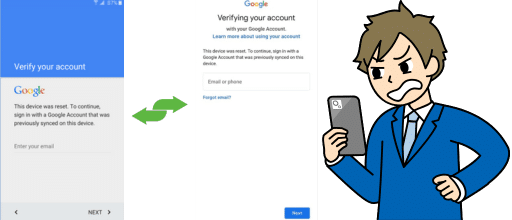
What does Google FRP Lock or Factory Reset Protection mean on Huawei?
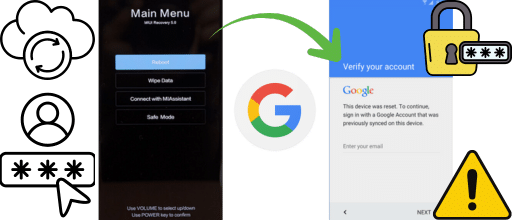
🔒 The factory reset protection lock is a security measure implemented by Android in 2014 to prevent unauthorized usage after a hard reset or factory reset. However, in recent years, Huawei has developed its own OS with other security measures, but any other old phone that doesn't update anymore will still be under the Android OS, and the FRP lock will still be active. 📱
How FRP Lock Works: The phone connects to Wi-Fi, requests the original Google account, and restricts access until authentication is complete.
✅ Luckily, there's a Good Alternative to bypass this lock, no matter what!
🎯 The good part is that this process can be done quickly and easily without knowing the password with a Huawei FRP bypass tool like FRPRemoval, since having that data to eliminate the lock is not mandatory. If you have a new Huawei phone that is already running the new OS, you shouldn't have issues, but if you still have your old Huawei that works with Android, you know where to go to unlock it! 🔓
⚠️ Can you root a Google-Locked Huawei Phone? It is technically possible to do it, but it's not recommended to bypass the FRP lock, as it can damage your device and leave you with security breaches. A phone that has been rooted is susceptible to viruses and malware, as well as hacks and scams.

Top ways to FRP Unlock Huawei this year without PC and without Google Account
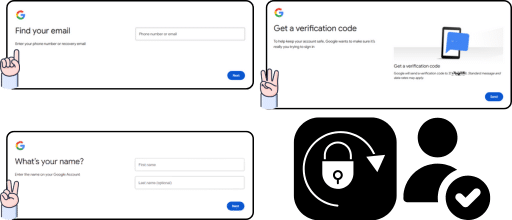
🔓 There are many ways to bypass the FRP lock and account on Huawei without a PC. The primary method to bypass Google Account Huawei is to try to recover either the password or the email, and for that, you can go to Google's account recovery site and then put those credentials in the verification process. 📧 The second most common method is to ask for assistance from Huawei, but the issue is that it can take a lot of time and money.
Quick tip: If you want to bypass the lock screen password with Huawei, you need to be under warranty to avoid fees. Otherwise, FRPRemoval is the fastest online alternative.
💡 What do you need to know about FRP Lock on your Huawei Phone?
- 🔒 Cannot Be Turned Off: It is a lock that cannot be deactivated unless you have full access to settings before the reset.
- 🔄 Active After Every Reset: FRP will be active every time you reset unless the account is deleted from settings beforehand.
- 📧 Password Recovery Option: You can try to recover access on the same phone using the "Forgot Password" option.
- 🛠️ Online Tools Available: Use tools like FRPRemoval to remove the Google account without a PC while the lock is active.
🎯 Bypass Google Accounts on Huawei and Android Devices on one Page!
💻 Everything will be done online without going to external programs or asking to download anything. Our internal servers will work hard to provide the best solution and clean the account on any Huawei model or Android device like Samsung or OPPO.
Complete Google's Account Recovery Verification Process with this FRP Bypass Tool!
🔓 Recover your phone information and backups without using your Google account or password. The process is simple and requires just a few steps to get you back into your device with a temporary credential system that bypasses the FRP lock.
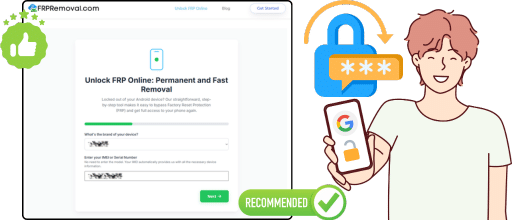
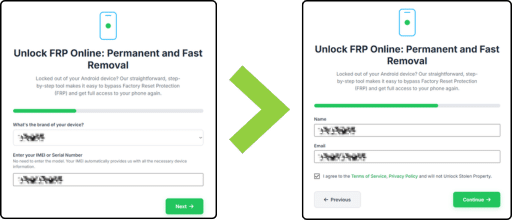
- Click Get Started: Click the "Get Started" button at the top of the site.
- Fill in Your Details: Enter your name, email, manufacturer (Huawei, Motorola, Samsung), and IMEI number.
- Complete Validation: Follow the validation and authentication process to verify your request.
- Get Dummy ID: Receive your temporary credential to unlock the Huawei phone without a password.
🔑 This ID is based on your IMEI and phone brand; it is a temporary credential so you can unlock the Huawei phone without a password or email. Once you use the credentials, you should be prompted to set up a new email and password to continue, but you can omit that process and do it later.
✨ Huawei Users Bypass Huawei FRP Locks with FRPRemoval!
📱 Bypass FRP locks easily using any smart device. Open your preferred browser and verify that you have a stable internet connection, then let the servers and dummy ID do the rest of the hard work.
Can I add a New Google Account on Huawei without the FRP getting Active again?
| Scenario | Outcome | Recommendation |
|---|---|---|
| With New Account | FRP will be active after reset. | ✅ Recommended for device protection. |
| Without Account | No verification required on next reset. | ⚠️ Less secure if lost or stolen. |
Best Practices: Save credentials in a safe place or delete the account from settings before a hard reset if you want to avoid FRP. If you forgot to prepare, FRPRemoval is available 24/7.
Does the Android Version of my Phone affect the Google Lock or Huawei FRP tool?
- Android 5.1 to Latest: Works with all versions from 5.1 to the most recent.
- Universal Compatibility: Anyone worldwide can use our services for any device or maker.
- Password Not Required: Use FRPRemoval when you cannot recover your password or email.
Note for Huawei Users: The last Android version for Huawei was Android 13. If you haven't switched to HarmonyOS, you can still unlock your device's FRP and use it normally.
🎉 Bypass the FRP Screen Lock Free of Charge!
💯 Use the best Huawei service for FRP lock without monthly payments or one-time charges. If your device is not under warranty anymore, unlock it today!
 🚀 Unlock Huawei Now