
How to Bypass FRP on Android 13 — Complete Guide
8–10 minutes
Quick answer: Your Android 13 phone is locked by Factory Reset Protection (FRP) because it was reset without removing the Google account first. Try Google Account Recovery first. If that doesn't work, contact your manufacturer with proof of purchase. If neither option works for you, an online service like FRPRemoval can help you remove the FRP lock in minutes without needing a PC or any downloads.
Is This Guide for You?
You might be reading this because:
- You bought a second-hand Android 13 phone and it's asking for the previous owner's Google credentials.
- You forgot your Google password and can't get past the setup screen after a factory reset.
- Someone gave you their old phone but forgot to remove their account before resetting it.
- You factory reset your own device through recovery mode (Power + Volume keys) instead of through Settings, and now it's locked.
If any of that sounds like you, you're in the right place. This happens to a lot of people, and it's not your fault. Don't worry, we'll walk you through every option available to get your phone working again.
Before You Start — What You'll Need
Gather these before trying any method:
- Internet connection: You'll need a stable WiFi connection for account recovery or online tools.
- IMEI number: Dial *#06# on a working phone, or check the device box or SIM tray.
- 5–15 minutes: Depending on the method you choose.
- Proof of purchase: If you plan to contact the manufacturer for help.
What is Factory Reset Protection (FRP) and Why Does It Lock Android 13 Devices?
The FRP (Factory Reset Protection) lock, also known as the Google lock, is a security feature built into all Android devices running Android 5.1 and higher, including Android 13. Google introduced it to protect your device's information and deter theft.
Here's how it works: this lock gets triggered when there's a factory reset attempt through an "untrusted" method (like recovery mode or hardware buttons). It activates a lock screen right after the hard reset to confirm the phone is not being wiped by an unauthorized party. If you can't provide the previous Google email and password, you're locked out.
The "trusted" way to reset is through Settings. When you go to Settings > General Management > Reset > Factory Data Reset, the device removes your accounts before wiping. FRP never triggers. But if you used recovery mode (Power + Volume Down, then "Wipe data"), the phone wipes without removing the account first, and that's when FRP kicks in.
Good to know: FRP turns on automatically the moment you add a Google account to your device. There's no separate toggle. And if you recently changed your Google password, you need to wait 24–72 hours before the new password works on the FRP screen.
What is the FRP on Android 13 for?
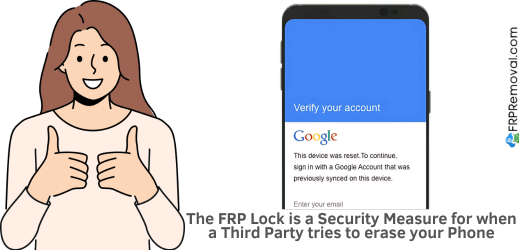
This safety measure is super important when, for example, your phone gets stolen and someone tries to reset it so they can use it themselves or resell it. The feature automatically locks the handset and doesn't let that person do anything unless they complete identity verification and prove they have the phone owner's authorization.
However, even though this lock is meant to protect users, it can also be a headache if you forget your Google credentials or own a second-hand device locked to its previous owner.
How to remove the FRP on Android 13
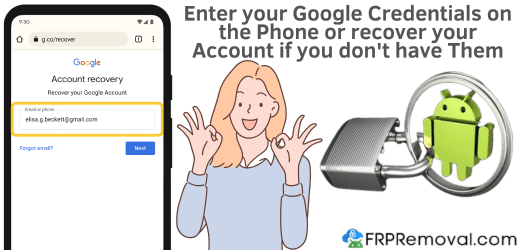
The FRP or Google lock can be removed if you enter the username and password of the Google account synced with the device. If for some reason you don't know the password, you can use Google's account recovery module to reset it. If we're talking about a second-hand phone, there's also the option of contacting its previous owner and asking them to remove it from their synced devices, which they can do via their online account.
Best Known Methods to Bypass FRP Without the Password
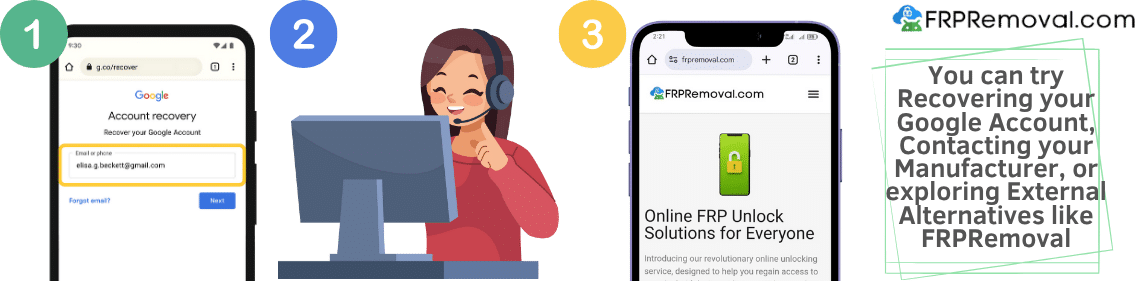
Method 1: Google Account Recovery (Try This First)
The official first step is to recover your Google account and reset your password. Go to the Google Account Recovery page and follow the prompts. If you have access to your recovery email or phone number, this often works.
Keep in mind: if you just changed your password, wait at least 24–72 hours before trying it on the FRP screen. Google needs time to sync, and using a freshly changed password too soon can cause problems.
Method 2: Contact Your Phone Manufacturer
If account recovery doesn't work, contact your phone manufacturer with proof of purchase. They can remove the FRP lock for legitimate owners. The process usually takes a week or more while they verify your ownership, but it's the safest official route.
Method 3: FRP Bypass Tools (When the Official Route Doesn't Work)
If you've tried account recovery and manufacturer support without success (or you don't have proof of purchase because you bought a second-hand phone), there are external options that work independently from Google and your manufacturer.
The key is to use a reputable, secure service. Avoid random downloads from unknown sites. Most free tools are outdated, unreliable, or contain malware.
Watch out: Rooting your phone to bypass FRP is risky. It can damage your phone's software, void your warranty, and leave your device vulnerable to malware. In general, it's not worth it when simpler, safer options exist.
What is FRPRemoval and How Does It Remove the Google FRP Lock?
If the conventional methods didn't work for you, FRPRemoval is an online tool designed to help you remove the FRP lock from your Android 13 device. It's compatible with all Android phones and all Android versions from 5.1 to the latest releases, including Samsung, Xiaomi, Google Pixel, and other Android brands.
Rather than using risky hacks or downloads, FRPRemoval uses a server-side solution. You don't need physical access to the phone during the removal process, just the IMEI number. Everything is done online, which makes the process smoother and safer.
How the FRPRemoval Process Works — Step by Step
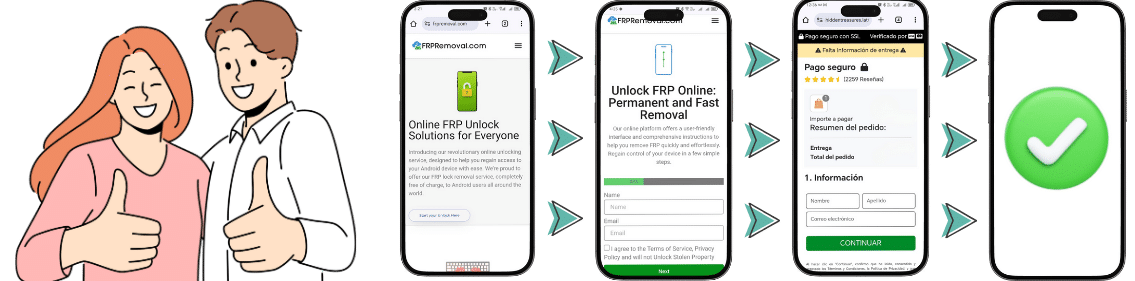
Accessing an effective and safe FRP bypass without needing the account's credentials or any documentation is not only possible but pretty easy with FRPRemoval. Here's how it works:
- Visit FRPRemoval: Go to the official FRPRemoval website and click "Start your Unlock Here" to begin the FRP bypass process.
- Fill out the form: Provide your name, email, and phone brand (Samsung, Xiaomi, OPPO, etc.). No Google account credentials needed.
- Enter your IMEI number: Find your Android 13 device's IMEI by dialing *#06# and enter it in the form.
- Submit and wait: Submit your request and let the automated system run the Google account FRP removal process. You'll receive a confirmation email once it's done.
Quick tip: Once you receive the confirmation email with your Dummy ID, enter it as the password on the FRP lock screen and leave the email box blank. The device will recognize this as valid verification and deactivate the security feature.
Benefits of Using FRPRemoval for Android 13
- Compatible with all Android 13 devices from Samsung, Xiaomi, Motorola, Google Pixel, and more.
- No PC or software download required. Everything is done online.
- You don't need the original Google account credentials or any documentation.
- Process is risk-free and doesn't void your warranty or damage your device.
- Works with all Android versions from 5.1 to the latest releases.
Common Mistakes to Avoid
- Trying the new password too soon: Wait at least 24–72 hours after resetting your Google password before using it on the FRP screen. Trying too soon can lock down your entire Google account.
- Downloading random bypass tools: Most free tools are outdated, unreliable, or contain malware. Stick to reputable services.
- Performing multiple factory resets: Resetting again through recovery mode won't remove the FRP lock. It just keeps the same verification loop active.
- Entering your Google password on unknown websites: Only enter credentials on Google's official recovery page. Never type your password into third-party sites.
- Rooting your phone: Rooting can brick your device and void your warranty. There are simpler, safer options available.
After Your Device Is Unlocked — What Happens Next?
Once the FRP lock is removed, you'll go through the normal Android setup. You can add a new Google account (or create one), restore your data if you have a backup, and use your phone as usual. Your device won't be locked again unless someone factory resets it through recovery mode without removing the account first.
To avoid triggering FRP in the future, always use Settings > Reset when you want to wipe your device, and remove your Google account before selling or giving away your phone.
Dealing with an FRP lock on Android 13 can be frustrating, but it doesn't have to be complicated. If you've tried the official methods and they didn't work for you, FRPRemoval is here to help. The process is simple, fast, and works with most Android devices. Don't let an FRP lock hold you back from using your phone.
Start Your Unlock HereFrequently Asked Questions About FRP on Android 13
Can I bypass FRP lock on Android 13 without the Google account password?
Yes, you can bypass the FRP lock on Android 13 without the password. The official recommendation is to recover your account through Google's recovery page, but this doesn't always work, especially if you bought a second-hand device. In that case, a service like FRPRemoval can help you remove the lock without needing the original account information. You only need your phone's IMEI number.
How long does the FRP removal process take with FRPRemoval?
The FRP removal process with FRPRemoval typically takes between 24 to 48 hours after submitting your unlock order. Once completed, you receive a confirmation email with a Dummy ID to complete the unlock on your device. The official route (contacting the manufacturer) can take days or even weeks by comparison.
Is FRPRemoval compatible with all Android devices?
Yes, FRPRemoval offers high compatibility with all Android phones and all Android versions from 5.1 to the latest releases, including Samsung, Xiaomi, Google Pixel, Motorola, and other Android device brands. FRP is a standard Android feature, so it affects all devices running Android 5.1 and above.
Do I need to download any software to use FRPRemoval?
No, FRPRemoval is a completely online solution that does not require any downloads or installations. You don't need physical access to the phone during the removal process, just the IMEI number. Everything is handled through the website.
What is the Dummy ID and how do I use it after FRP removal?
The Dummy ID is a code sent to you after successful FRP removal that replaces your forgotten Google account credentials. To use it, enter the Dummy ID as the password and leave the email box blank when prompted on the FRP screen. The device will recognize this as valid verification and deactivate the security feature, allowing you to set up your phone normally.