
The Best Tool for Google FRP is Here! – FRP Android 12
Smooth, Fast and Sercure Unlocking!
Unlock your Android device in minutes with our trusted FRPRemoval online service—now for just $1. Our expert system ensures a smooth unlock with zero hassle, keeping your data safe throughout. Don’t wait—regain full access to your phone today with the most affordable FRP unlock service on the web.
Most users know how to do a factory reset on their devices, but what happens when the FRP lock activates, and they don’t remember the credentials? Today, we are going to explain why this happens and what solutions are available for Android 12 FRP unlock. Discover in this informative guide the process of removing a Google FRP lock from any smartphone with FRPRemoval, and also see other tips and tricks that can help you in the future!
Why does Google use FRP on Android Devices?
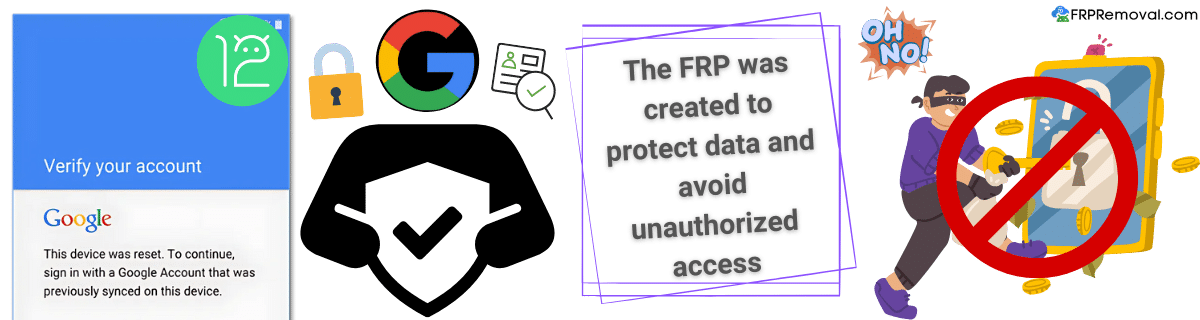
The main reason why this security feature is so popular among users is that it is a great way to prevent unauthorized access. It also works great as a theft deterrent since the person with the phone must verify the credentials before doing anything to it. Since its implementation in 2014, factory reset protection has helped many users protect their data and their devices, and with every new update, it gets more and more security patches to combat unofficial and unauthorized FRP bypass tools.
What if the Device Reboots and Asks Again for the Account and Password?
The thing with the FRP lock on Samsung or any other Android device is that it doesn’t matter how many times you reboot or restart the smartphone; it is still going to ask for the Google account associated with it. The only way to avoid activating the FRP lock on any phone is to access the settings and remove the Google credentials that are setting up the FRP. However, this part is only recommended if you plan to sell the device or restart it one more time.
What if Google Servers aren’t Verifying my Credentials?
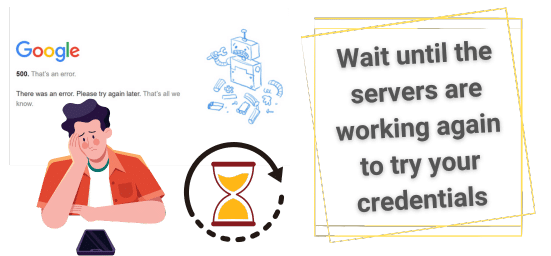
If the Google account or password you are entering into the device is not working, then you will first need to verify that they are the correct ones. If they work but the Google FRP does not recognize them, you can reboot the device or wait for a couple of hours and try again. Too many attempts can temporarily lock access, and if Google is having issues with its servers, you will need to wait until they fix them before trying again.
Do YouTube or QR Code Tricks Work on Android 12?
One very popular method to remove the FRP lock on previous Android versions was to gain access to the device through different methods. Some of them were:
- YouTube app links
- QR code scanners
- TalkBack accessibility features
- SIM PIN menu triggers
- Share buttons to access Settings or the browser
However, these methods to bypass Google FRP lock were patched a long time ago, and they don't really work anymore with Android 12. Older models can still have these exploits, though, but you will need to know the specific Android version you have, along with the firmware of the device, to see if these methods to bypass FRP are still working. Otherwise, you will need to look for other ways to bypass the FRP lock that don't involve these tricks.
💡 Pro Tip: Always check your device's Android version and firmware before attempting any FRP bypass methods.
If the FRP Tool says “Unsupported Device,” what now?

FRP unlock tools are sometimes complicated since there are so many, and because of that, some can be outdated or not work for specific models running Android. If that error appears on the software or page you are using to remove Google FRP locks, then you will need to look for other compatible alternatives (FRPRemoval is a great solution, for example). You can even try to recover the credentials first and see if you can regain access without using FRP bypass on Android!
How do PC-based Tools Compare to Online Ones for Android 12?
It mostly depends on how much you know about your device and how good you are at bypassing FRP on Android. PC-based tools can help with many FRP unlocks since they are mostly compatible with all types of devices.
PC-Based Tools
Online Tools
Recommended Solution
Services like FRPRemoval are becoming the preferred choice for Android 12 FRP bypass. They offer maximum compatibility, enhanced security, and require just basic device information to get started.
Can a Security Patch Prevent an FRP Lock Tool from Working on Android 12?
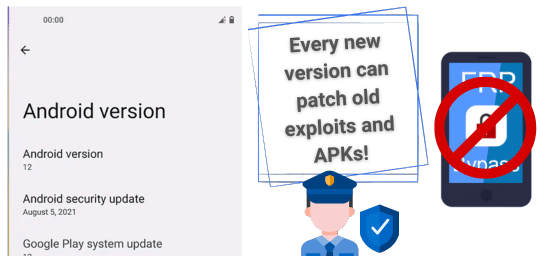
Yes, if the phone got updated before the reset or during the reboot, there’s a good chance it also implemented a new security patch that blocks methods to bypass Google account verifications. Although many Android 12 devices are considered old, it wasn’t until March 21, 2026, that they stopped getting security updates. This means that any exploit or way to bypass FRP locks has been patched for many Android phones.
What is FRPRemoval and How Does It Work?
FRPRemoval is an online web app that specializes in FRP bypass tools for the Android OS. We work based on servers that are the ones that receive the request and process it through an ID membership. What we do with the information you enter on the site is create dummy Google account credentials that are able to bypass the lock on Android in less than 20 minutes and for only $1.
Best FRP Unlock Android 12 Services? FRPRemoval!
Fill Out Quick Form
To unlock your device without the original Google account and password, you only need to go to our site and complete a quick form with your name, email, manufacturer (Motorola, Huawei, Samsung phones, etc.), and the IMEI number of said device.
Preview & Payment
With that, you will get a preview of the credentials we have created for you, and to activate them, you will need to register with us and make the $1 payment to complete the order.
Enter Credentials on Device
Once that part is done, you only need to enter the dummy ID credentials on the FRP-locked phone, and in a couple of minutes, you will have access to the rest of the initial setup.
Final Setup & Cleanup
Now, you can remove any account through the settings and restart the phone again if you want to delete any information you might consider unnecessary without triggering the FRP.
Congratulations!
Your Android 12 device is now successfully unlocked and ready to use!
The easiest way to check if the phone has the FRP active is to restart the phone and see if the initial setup comes up. If that’s the case and you have the previous owner nearby, tell them to please enter their credentials and complete the setup together. If they don’t remember or don’t know, then it is better to avoid purchasing it.
It depends on the tool you use for FRP bypass on Android 12. Some tools can be free, and others can cost between $1 and $20. Remember that the most expensive will be the PC-based tools, so if you want cheaper options, you can try FRPRemoval or look for FRP bypass APK.
Yes, especially if you don’t know the credentials and are selling it with the FRP active. Now, since the user has to do the extra work of removing the lock to use it, it is not as attractive as other devices that are clean but cost a bit more. This is because the money spent on it is not going to a tool designed to bypass this lock.