
FRP Bypass Unimax — How to Remove the Google Lock on Unimax Phones
7 min read
If your Unimax phone is stuck on the Google account verification screen after a factory reset, don't worry — it's a pretty common situation, and you can fix it. That screen is called Factory Reset Protection (FRP), and it's there to protect your data. Your best first step is to try Google's account recovery. If that doesn't work, an online tool like FRPRemoval can help you regain access without a computer or any technical knowledge.
🔍 Is This Guide for You?
If any of these situations sound familiar, you're in the right place. This happens to a lot of people, and it doesn't mean you did anything wrong.
- You bought a second-hand Unimax and it's asking for the previous owner's Google account.
- You factory reset your Unimax without removing the Google account first.
- You forgot your Google email or password and can't get past the verification screen.
- Someone gave you a Unimax phone but forgot to sign out of their Google account before handing it over.
- Your Unimax triggered FRP after a failed software update or a recovery mode reset.
📋 What You'll Need Before Getting Started
Before you try anything, it's a good idea to have a few things ready. This way you won't get stuck halfway through the process.
Have these on hand
- Your IMEI number — dial *#06# on the phone's dialer (or check the box or SIM tray). You'll need this for most unlock services.
- A stable internet connection — Wi-Fi or mobile data. The FRP screen itself needs internet to verify your account.
- About 10–15 minutes — the whole process is pretty quick once you have everything.
- Your phone charged to at least 50% — you don't want the battery dying in the middle of the unlock process.
Quick tip: If you can still access the dialer from the emergency call screen, try dialing *#06# to get the IMEI. If not, check the sticker on the original box or the SIM card tray.
🔎 Why Do So Many Unimax Phones End Up FRP Locked?
Unimax phones are popular in the US as affordable, prepaid devices — which means they change hands a lot. Whether it's a family member passing one down, a marketplace purchase, or a carrier upgrade, the previous owner often forgets to remove their Google account before resetting the phone. That's all it takes to trigger FRP.
A friend of ours recently picked up a Unimax U693CL from a local marketplace for a great price. Everything seemed fine until she powered it on and got hit with the Google verification screen. The seller had done a factory reset but forgot to sign out first. She spent an entire afternoon trying random methods from YouTube before realizing most of those tricks had been patched years ago. That's exactly the kind of situation where knowing your real options saves you a lot of frustration.
Good to know: Since most Unimax phones run up to Android 10, the security patches are older than what you'd find on Samsung or Xiaomi flagships. That actually makes the unlock process simpler in many cases — fewer layers to work around.
⚠️ Will a Software Update Affect FRP on Your Unimax?
Regular security patches and minor updates usually don't touch FRP at all. Your phone updates, restarts, and everything stays the same.
However, newer Android versions tend to reinforce FRP security rather than weaken it. If your Unimax receives a major update, the security patches that come with it can close the loopholes that older bypass methods relied on — like TalkBack exploits or the dial pad trick. That's why the general recommendation is to update your phone after removing FRP, not before.
Quick tip: If you've recently changed your Google password, wait at least 72 hours before attempting any kind of reset or major update. Google enforces a sync period, and trying to use the new password before it's ready will keep getting rejected on the FRP screen.
🛑 Common Mistakes to Avoid When Bypassing FRP on Unimax
When you're locked out, it's tempting to try everything you find online. But some of these shortcuts can actually make things worse. Here are the most common ones we see.
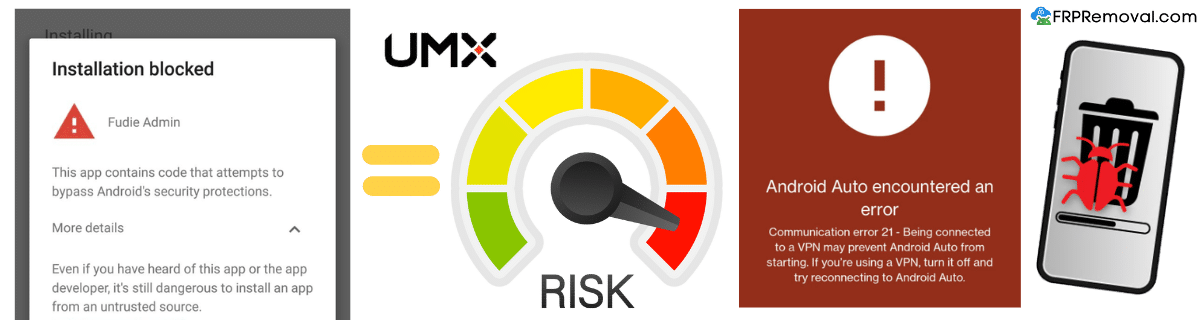
- Downloading random bypass APKs: Since Unimax isn't a major brand, there aren't many dedicated FRP bypass apps for it. Most APKs you'll find online are outdated, don't work on Android 10, or contain malware that can compromise your personal data.
- Trying the SIM card trick: This method was patched in Android 8. Since most Unimax phones run Android 10, removing and reinserting the SIM card won't trigger the activation process needed to bypass FRP anymore.
- Factory resetting again through recovery mode: Doing another reset through recovery won't remove FRP. It'll just restart the same verification screen because the Google account is still linked to the device.
- Using a recently changed Google password: If you reset your password, you need to wait 24 to 72 hours before it works on the FRP screen. Trying it too soon will keep getting rejected.
- Interrupting the unlock process: If you're using a tool and it's working, don't restart the phone or disconnect it. Interrupting the process can cause errors or leave the phone in a broken state.
Watch out: Never enter personal information on websites that claim to "instantly" remove FRP for free. If it sounds too good to be true, it probably is. Stick to verified services with clear processes and real support.
If you've tried recovering your Google account and it didn't work, FRPRemoval can help you get past the lock on your Unimax. The process works online, takes just a few minutes, and you don't need a computer or any technical knowledge.
Unlock Your Unimax Now📱 How to Remove FRP on Unimax with FRPRemoval
If Google's account recovery didn't work and you need another way in, here's how FRPRemoval handles it. The whole process takes about 5–10 minutes.
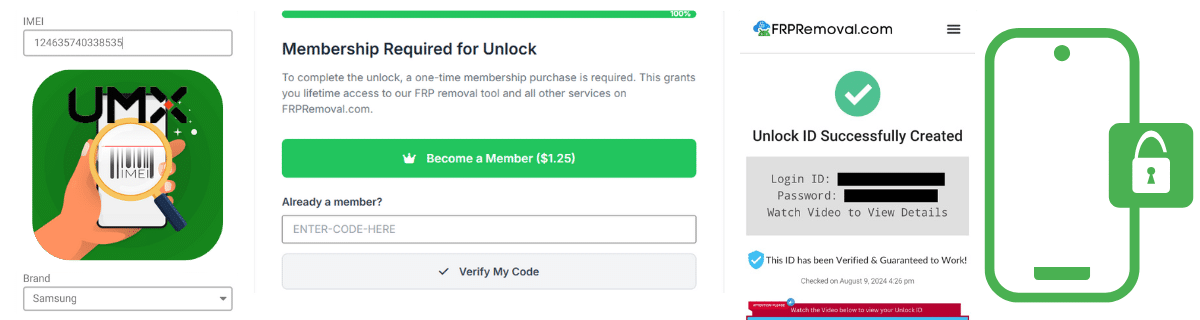
- Go to FRPRemoval: Open FRPRemoval.com from any browser and select Unimax as your phone brand.
- Enter your device details: Fill in the form with your IMEI number, name, and email address.
- Complete the verification: Register on the site and follow the quick verification step to create your order.
- Receive your dummy ID: Once processed, you'll get a temporary set of login credentials (a dummy Google account and password).
- Enter the credentials on your Unimax: On the FRP verification screen, type in the dummy ID details as if they were your regular Google account.
- Set up your phone: After the lock is removed, complete the initial setup and add your own Google account.
Good to know: The dummy ID is temporary — it's only used to get past the FRP screen and doesn't stay linked to your device. The system automatically erases the credentials after a couple of hours, so no one else can use them.
✅ What Happens After the FRP Lock Is Removed?
Once you get past the Google verification screen, your Unimax will work just like it did before the reset. You'll have full access to the home screen, apps, settings, and all Google services.
Here's what we recommend doing right after you're in:
- Add your own Google account: Go to Settings > Accounts and sign in with your personal Gmail. This becomes the new account linked to the device.
- Enable two-factor authentication: Set up 2-Step Verification on your Google account so you have a backup way to recover it if you ever forget the password.
- Write down your credentials: It sounds basic, but keeping a note of your Google email and password somewhere safe prevents this whole situation from happening again.
- Update your phone: Now that FRP is removed, check for any pending software updates in Settings > System > Software Update. Keeping your Unimax up to date helps with both performance and security.
Rest assured — after the FRP lock is removed, your phone is fully functional. There are no lingering restrictions, and you can use it exactly as you would a brand-new device.
🔒 How to Avoid Bricking Your Unimax During the Unlock Process
This is something a lot of people worry about, and honestly, it's a valid concern. Bricking your phone means it becomes completely unresponsive — basically a very expensive paperweight. The good news is that it's pretty easy to avoid if you follow a few simple rules.
| Precaution | Why It Matters |
|---|---|
| Charge to 50%+ | If the phone dies during the process, it can corrupt system files. |
| Don't interrupt the process | Restarting or disconnecting mid-unlock can leave the phone in a broken state. |
| Use compatible tools only | A tool designed for Samsung won't work properly on Unimax and can cause issues. |
| Try official methods first | Google account recovery is the safest path. Only use bypass tools when that fails. |
| Avoid custom firmware | Flashing random firmware files can permanently damage your Unimax if the file doesn't match your exact model. |
If you want to skip the risk entirely, FRPRemoval handles the process remotely — no firmware flashing, no cables, and no chance of bricking your device. It works safely with all Unimax models.
Remove FRP Safely❓ Frequently Asked Questions About FRP on Unimax
Is Unimax harder to bypass than Samsung or Xiaomi?
No, it's actually the opposite. Samsung and Xiaomi have newer Android versions with stronger security layers. Most Unimax phones run up to Android 10, which means fewer security patches to work around. The FRP protection itself is the same across all brands, but the available bypass methods tend to be simpler for Unimax.
Can I remove FRP on my Unimax without a computer?
Yes. FRPRemoval is entirely online, so you can complete the process from another phone, a tablet, or any device with a browser and internet connection. No software downloads, no USB cables, no PC required.
What should I do if I bought a locked Unimax phone?
If you can still contact the previous owner, ask them for the Google credentials to unlock the device. If they don't have them or you can't reach them, use FRPRemoval to bypass the lock. Once you're in, go to Settings > Accounts and add your own Google account so the FRP grabs your credentials instead of the old ones.
How long does the FRPRemoval process take for Unimax?
The whole process usually takes between 5 and 10 minutes. You fill in the form, complete the verification, and receive your dummy ID. Entering the credentials on the phone and completing the setup adds another couple of minutes.
Will removing FRP void my Unimax warranty?
Using an online service like FRPRemoval doesn't modify your phone's software or hardware, so it shouldn't affect your warranty. However, methods that involve flashing firmware or installing custom ROMs can void it. When in doubt, check with Unimax support before proceeding.
Does Unimax have an official way to remove FRP?
Unimax doesn't offer a direct FRP bypass tool. If you can prove you own the device (with a receipt or proof of purchase), their support team may guide you through Google's account recovery process. But if that doesn't work, you'll need to use a third-party service like FRPRemoval.
💬 Your Unimax Doesn't Have to Stay Locked
We get it — staring at that Google verification screen feels like hitting a wall. But now you know exactly what's going on and what your options are. Most people solve this in under 15 minutes once they stop guessing and follow a clear path.
Try recovering your Google account first — it's the simplest route. If that's not an option, FRPRemoval can handle the rest without any risk to your device.
Done reading? Get your Unimax unlocked right now — no downloads, no cables, no waiting.
Unlock Your Unimax Here