
FRP Bypass Vivo — How to Remove the Google Lock on Vivo Phones
7 min read
Stuck on the Google verification screen on your Vivo phone? You're not alone — this is one of the most common issues Vivo users face after a factory reset. The fastest way out is to try Google's account recovery first. If that doesn't cut it, an online service like FRPRemoval can get you past the lock without needing a computer or any special software.
🔍 Does This Sound Like Your Situation?
If any of these match what you're going through right now, you're reading the right guide. And don't stress — it happens more often than you'd think.
- You picked up a used Vivo from someone online and the previous owner's Google account is still linked.
- You wiped your Vivo through recovery mode and now it won't let you in without the old email.
- You can't remember your Google credentials and the recovery options aren't working.
- A relative gave you their old Vivo but forgot to log out of their Google account beforehand.
- Your Vivo got locked after a failed system update or custom ROM installation.
📋 Quick Checklist Before You Begin
Having these things ready upfront will make the whole process smoother and prevent any unnecessary stops along the way.
- Your IMEI number — try dialing *#06# from the emergency call screen. If that doesn't work, check the sticker on your Vivo's original box or the SIM card tray.
- Internet access — you'll need Wi-Fi or mobile data. The verification screen itself requires a connection.
- Around 10 minutes — the whole thing is pretty quick once you have everything in place.
- Battery above 50% — you don't want the phone shutting down in the middle of the process.
📱 Which Vivo Models and Android Versions Can Be Unlocked?
Vivo has a pretty wide lineup — from budget-friendly models like the Y series to mid-range V and T series phones and premium X series devices. All of them run on Funtouch OS or Origin OS (depending on the region), and all of them are subject to the same Google-level FRP lock.
The good news? FRPRemoval works across the entire Vivo range regardless of the custom interface. Whether you have a Vivo Y21, a V30, an X200, or even an iQOO model (Vivo's gaming sub-brand), the process is the same.
| Vivo Series | Typical Use | FRP Removable? |
|---|---|---|
| Y Series (Y21, Y36, Y100) | Budget, everyday use | Yes — all models |
| V Series (V25, V29, V30) | Mid-range, photography | Yes — all models |
| T Series (T1, T2, T3) | Performance-focused mid-range | Yes — all models |
| X Series (X90, X100, X200) | Premium flagships | Yes — all models |
| iQOO (Neo, Z, Pro) | Gaming sub-brand | Yes — all models |
Good to know: Funtouch OS and Origin OS change the look of your phone's interface, but FRP itself is handled entirely by Google at the Android level. The custom skin doesn't add or remove any layer of Google verification.
🔧 Can Older Vivo Phones Still Be FRP Bypassed?
Yes, absolutely. Older Vivo devices running Android 5.1 through Android 10 are generally easier to unlock because their security patches are less restrictive. Models like the Vivo Y21L, V1Max, V5s, or Y53 fall into this category.
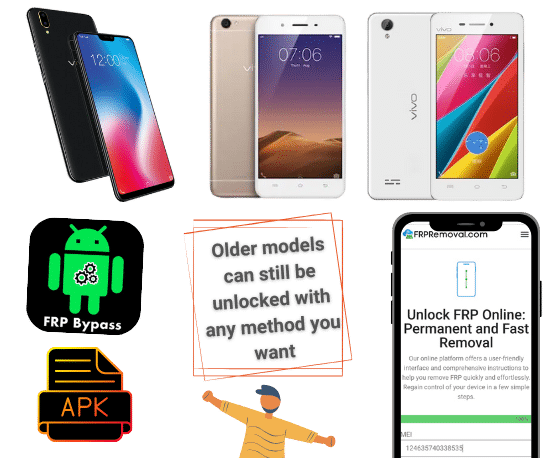
For newer models running Android 12, 13, or 14, the security is tighter and most on-device tricks that used to work (like TalkBack exploits or dialer shortcuts) have been patched. That's where online services become particularly useful — they don't rely on those loopholes, so they work regardless of the Android version on your Vivo.
Quick tip: Not sure which Android version your Vivo has? If you can access the emergency dialer, sometimes dialing *#*#4636#*#* brings up a test menu that shows the OS version. Otherwise, check your model specs on GSMArena.
🤔 Should You Bypass Vivo FRP With a Computer or Without One?
There are Vivo FRP bypass methods that need a PC (like flashing tools or ADB commands), and there are methods that work entirely online. For most people, online tools are the way to go — they're simpler, don't require any downloads, and there's no risk of damaging the phone's system files.
PC-based tools like MRT Tool or Hydra Dongle can work, but they require specific cables, drivers, and a level of technical comfort that most users don't have. If the tool doesn't support your exact Vivo model and firmware version, you could end up in a worse situation than before.
Watch out: PC-based flashing tools that aren't compatible with your specific Vivo model can corrupt the system partition. If you're not comfortable with command-line tools and firmware files, stick to online methods.
🔑 Can You Use Someone Else's Google Account to Get Past the Lock?
No. The FRP screen on your Vivo will only accept the exact Google credentials that were signed in before the reset happened. Entering a different Google account — even a brand-new one — won't work. The device specifically checks for the previously synced account, not just any valid login.
If the original account belonged to someone else (like a previous owner), your best options are to either contact that person and ask them to remotely remove the device from their Google account, or use a bypass service that generates temporary credentials designed to get past this specific check.
🛑 Mistakes to Watch Out for When Unlocking Vivo FRP
We've seen a lot of people make these errors when trying to remove FRP on their Vivo, and they usually end up wasting time or making the problem harder to fix.
- Flashing incompatible firmware: Vivo uses MediaTek and Qualcomm chipsets depending on the model. Using the wrong firmware file can permanently brick the device.
- Trusting "free instant unlock" sites: Websites that promise instant, free FRP removal usually either don't work or collect your personal data. If a service has no clear process or pricing, walk away.
- Resetting through recovery a second time: Another factory reset through recovery mode won't clear the FRP. The Google account remains linked until it's properly removed or bypassed.
- Ignoring the 72-hour rule: If you recently changed your Google password, you need to wait at least 24 to 72 hours before that new password will be accepted on the FRP screen.
If you've already tried Google's recovery page and your Vivo is still locked, FRPRemoval can help you regain access. It works online, covers all Vivo models, and you don't need a computer.
Unlock Your Vivo Now📱 How to Remove FRP on Vivo with FRPRemoval
If recovering your Google account isn't an option, here's how FRPRemoval works. You can do the whole thing from another phone, a tablet, or any device with a browser.
- Visit FRPRemoval: Open FRPRemoval.com and pick Vivo as your phone brand.
- Fill in your details: Enter your IMEI number, name, and email address in the form.
- Register and verify: Create your account on the site and complete the quick verification to place your order.
- Get your dummy ID: Once the system processes your request, you'll receive temporary Google credentials (a dummy account and password).
- Enter the credentials on your Vivo: On the FRP verification screen, type in the dummy ID as if it were your regular Google login.
- Set up your phone: After the lock clears, finish the initial setup and sign in with your own Google account.
Good to know: The dummy ID is only meant to get you past the verification screen. It doesn't stay connected to your Vivo — once you're in, you can add your own account and the temporary one is automatically discarded.
💰 Can You Sell a Vivo Phone That Still Has FRP Active?
Technically, yes — but it's not a great idea. An active FRP lock significantly reduces your Vivo's resale value because the buyer won't be able to use the phone without the original Google credentials. Most people won't buy a locked device unless they know exactly how to deal with it.

There's also a legal side to consider. Depending on where you live, selling a locked device without disclosing the lock could violate consumer protection laws. If you plan to sell your Vivo, it's always better to remove the FRP first so the new owner gets a fully functional device with no restrictions.
Quick tip: Before selling, go to Settings > Accounts, remove the Google account, and then do a factory reset through Settings (not recovery mode). This ensures FRP won't activate for the next person.
🏢 Does Vivo Offer an Official Way to Remove FRP?
At the moment, Vivo doesn't provide any official tool or dedicated support service to bypass the Google verification lock. If you reach out to Vivo's support team, they'll most likely guide you toward Google's account recovery process — which is the standard advice from pretty much every Android manufacturer.
If Google's recovery doesn't work because you don't have access to the associated email, phone number, or recovery options, you'll need to use a third-party service. That's exactly the gap FRPRemoval fills — it provides an alternative path when the official one isn't available.
✅ What to Do Once Your Vivo Is Unlocked
After the FRP screen is gone, your Vivo will be fully functional again — no lingering restrictions, no hidden locks. Here's what we'd suggest doing right away to keep things running smoothly.
- Sign in with your own Google account: Head to Settings > Accounts and add your Gmail. This becomes the account linked to FRP going forward.
- Turn on two-step verification: Enable 2-Step Verification on your Google account so you always have a backup recovery method.
- Save your credentials somewhere safe: A simple note with your email and password tucked away can prevent this whole situation from repeating.
- Check for software updates: Go to Settings > System > Software Update and install anything pending. Now that FRP is cleared, updating is safe and recommended.
Rest assured — your phone works exactly like a fresh device after this. There's nothing left from the bypass process that affects performance or functionality.
❓ Frequently Asked Questions About FRP on Vivo
Does Funtouch OS or Origin OS affect the FRP bypass process?
No. Funtouch OS and Origin OS are Vivo's custom interfaces built on top of Android, but FRP is handled entirely at the Google level. The custom skin changes how the phone looks and feels, but the verification lock itself behaves the same as on any other Android device.
Can I bypass FRP on my Vivo without a computer?
Yes. FRPRemoval runs entirely online, so you can complete the process from any device with a browser — another phone, a tablet, a laptop. No software to install, no cables to connect.
How long does the FRPRemoval process take for Vivo phones?
Most people finish in about 5 to 10 minutes. That covers filling in the form, completing verification, receiving the dummy ID, and entering the credentials on the phone.
Will removing FRP affect my Vivo's warranty?
Using an online service like FRPRemoval doesn't modify your phone's firmware or hardware, so it shouldn't impact your warranty. Methods that involve flashing custom firmware or rooting the device, on the other hand, can void it.
Does FRPRemoval work with iQOO phones?
Yes. iQOO is a sub-brand of Vivo, and their devices run on the same Android base with the same FRP system. FRPRemoval supports iQOO Neo, Z, and Pro series across all Android versions.
What if my Vivo was reported as lost or stolen?
If a device has been flagged through Google's Find My Device, it adds an extra layer of protection beyond FRP. In those cases, the bypass process can be more complex. If you purchased the phone legitimately, contact the seller to have them remove it from their Google account first.
💬 Your Vivo Doesn't Have to Stay Locked
Getting stuck on that verification screen is frustrating, but it's a solvable problem. Most Vivo owners get past it in under 15 minutes once they stop guessing and follow a clear process.
Start with Google's account recovery — it's always the simplest path. If that's not an option for you, FRPRemoval can take care of the rest without putting your device at risk.
Ready to get your Vivo working again? No downloads, no cables, no waiting around.
Unlock Your Vivo Here